Updating your name servers at godaddy.com
-
-
Go to http://www.godaddy.com.
-
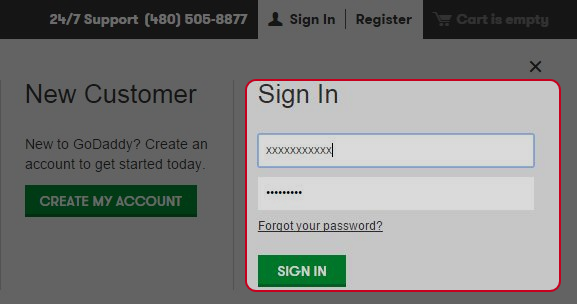
Enter your username and password, then click on “SIGN IN” button.
-
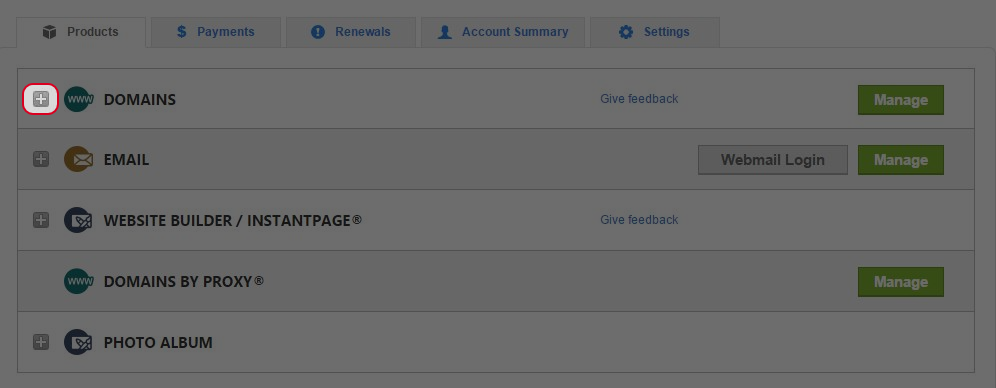
Click on “+” next to “Domains”.
-
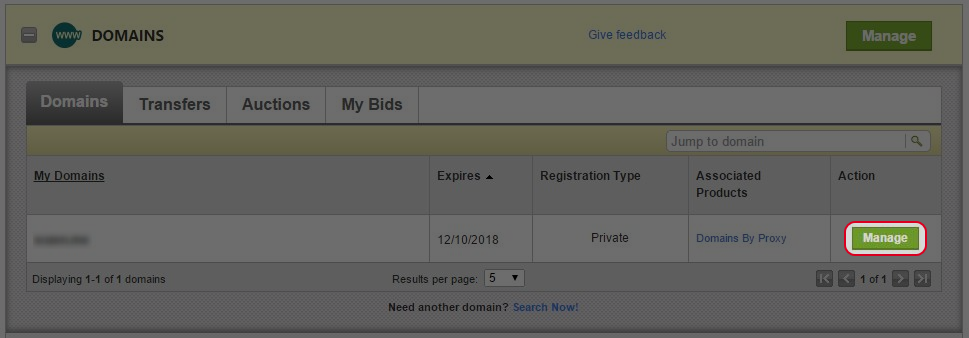
Click on “Manage” next to the domain name you would like to manage.
-
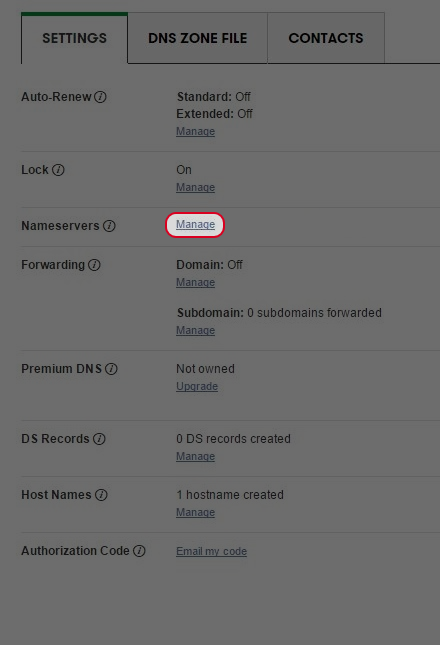
Click on “Manage” next to “Nameservers”.
-
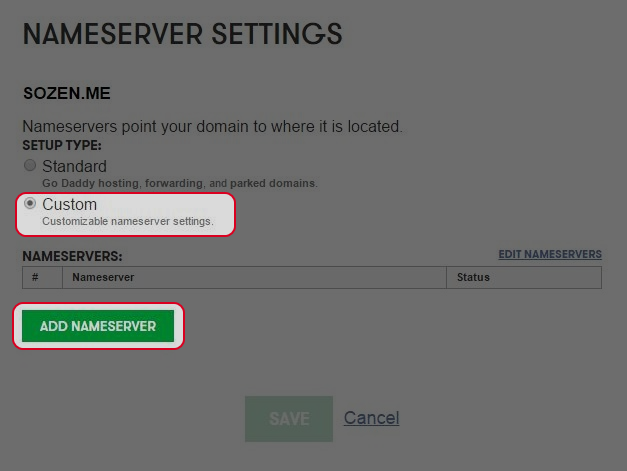
Select “Custom” then click “ADD NAMESERVER”.
-
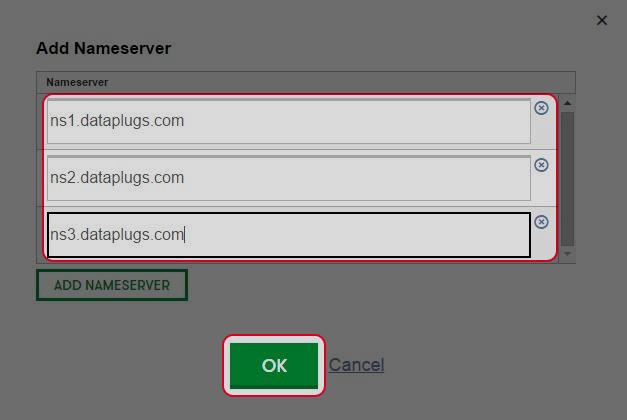
Enter the name servers of Dataplugs and click “OK”.
-
Click on “SAVE” button (DNS updating usually takes around 24-48 hours for globally update).
-


