Change the password on an existing Email Account
-
-
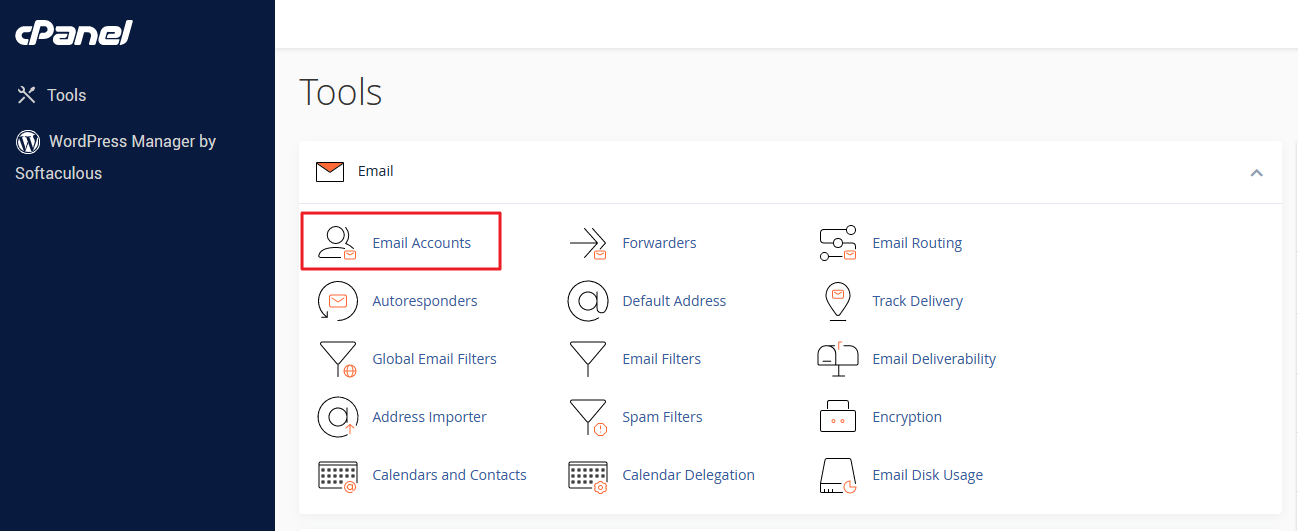
Login to your cPanel, and click on “Email Accounts” icon at Email area.
-
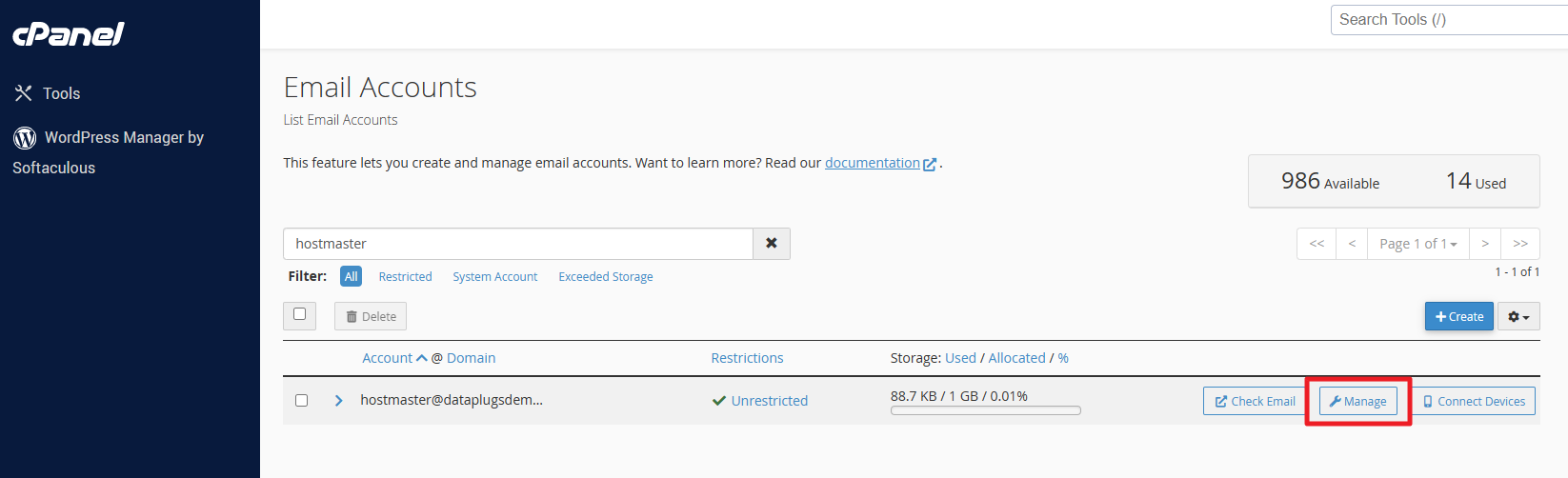
Click on “Manage” next to the email address you would like to reset the password for.
-
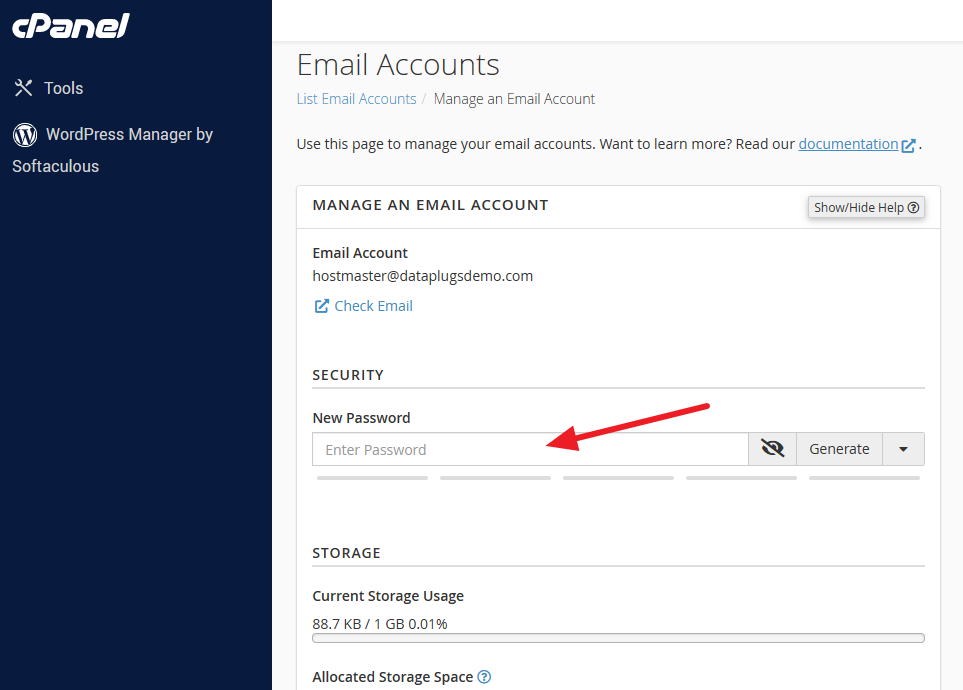
Enter the New password
-
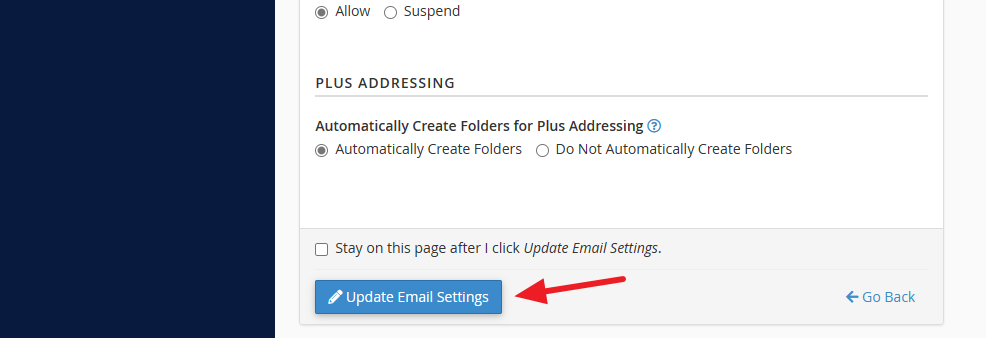
Click “Update Email settings” button.
-


