I would like to reset the customer control panel password.
-
-
Login to Customer control panel.
-
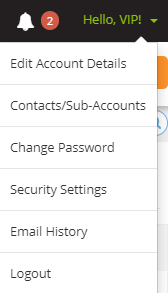
Select “Change Password” under “Hello (yourname)” at the top right corner.
-
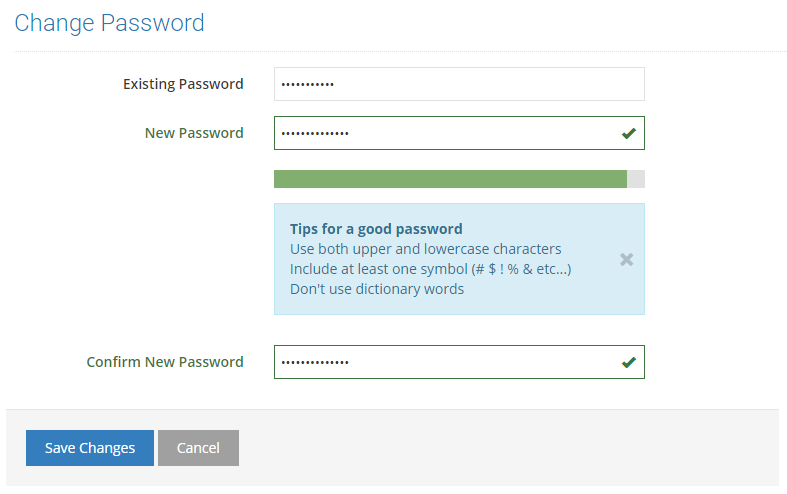
Enter your existing password.
-
Enter the new password and then re-enter new password.
-
Once you have submitted the information, click on “Save Changes”.
-


