Backup and restore emails in cPanel webmail – Roundcube
You can use one of the following links to access cPanel webmail: http://yourdomain.com/webmail
-
Download
-
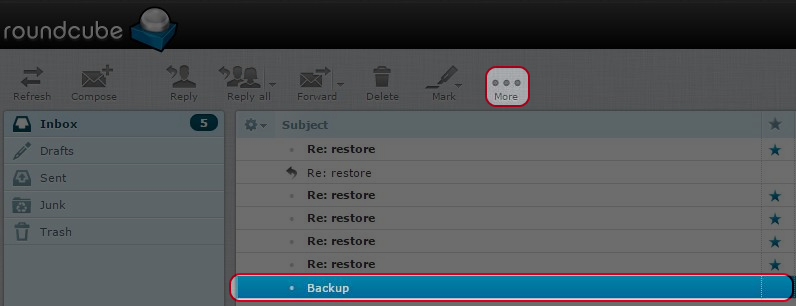
Click the email which you want to backup.
-
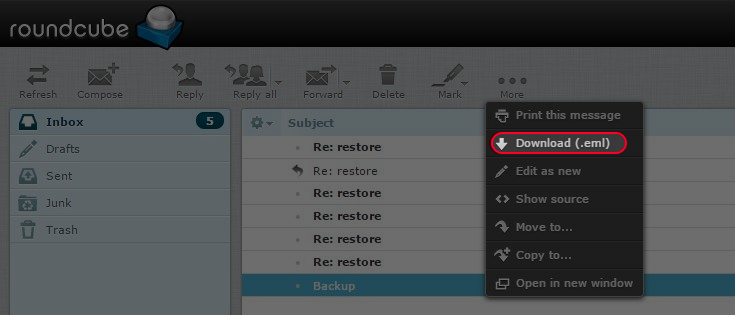
Click “More” then choose “Download (.eml)”.
-
Emails will be downloaded as .eml* file.
-


-
Restore
-
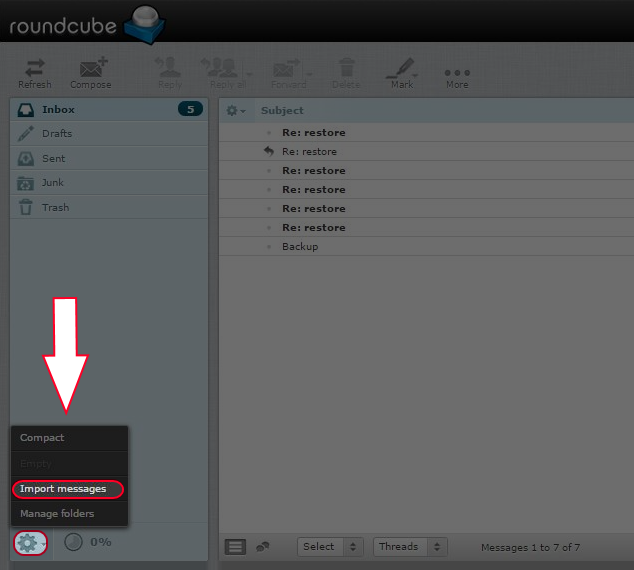
Click the “Gear Icon” and choose “Import messages”.
-
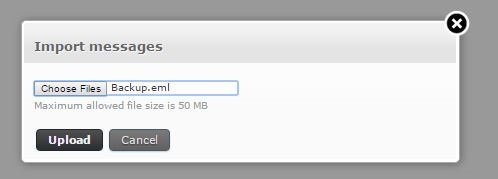
Select the backup file and click “Upload”.
-

