Change DNS Servers in Windows 8
-
-
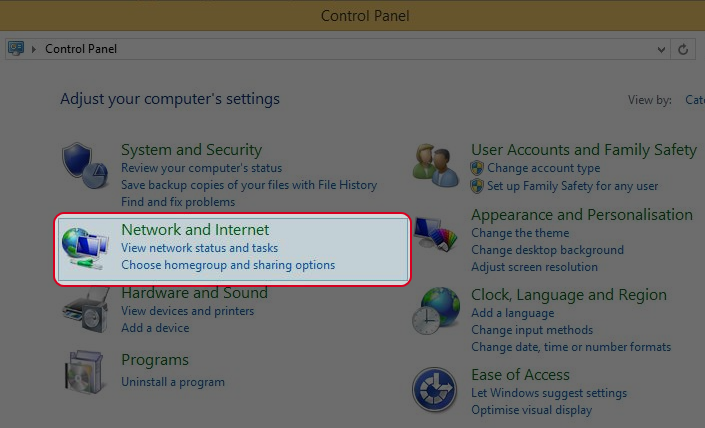
Open Control Panel in your computer and select “Network and Internet”
-
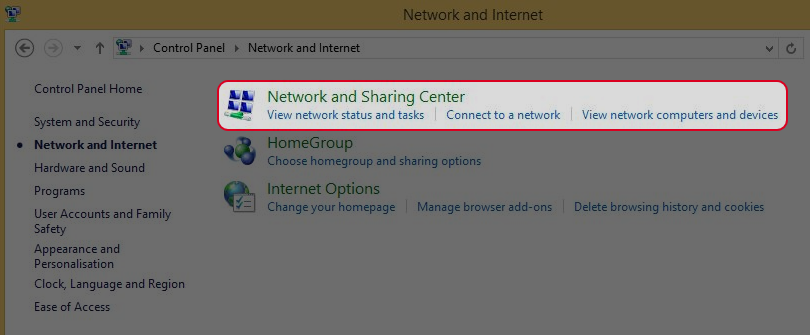
Choose “Network and sharing Center”.
-
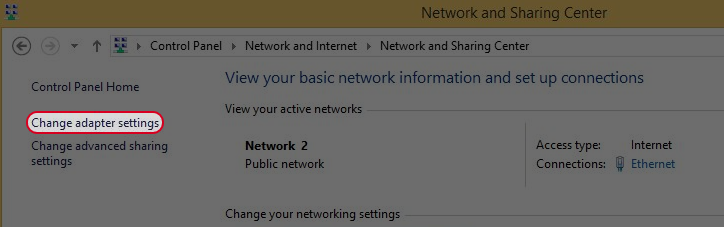
Click “Change adapter settings”.
-
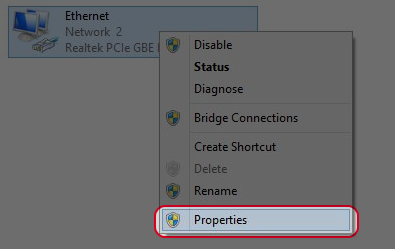
Right click on your network device and choose “Properties”.
-
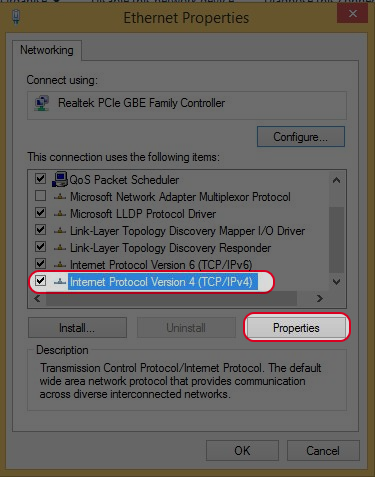
Choose “Internet Protacol Version 4(TCP/IPv4)” and click “Propoties”.
-
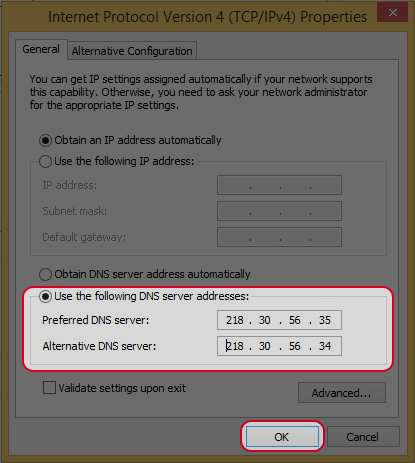
Choose “Use the following DNS server addresses:” and enter 218.30.56.35 or 218.30.56.34 or208.67.222.222 .
-
Click “OK” when you finish.
-


