Change PHP extension in cPanel
-
-
Login to cPanel.
-
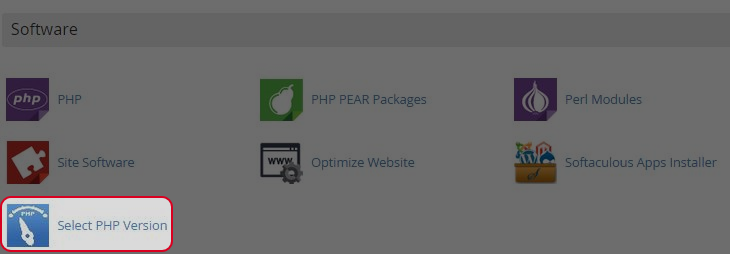
Click “select PHP version” in Software Area.
-
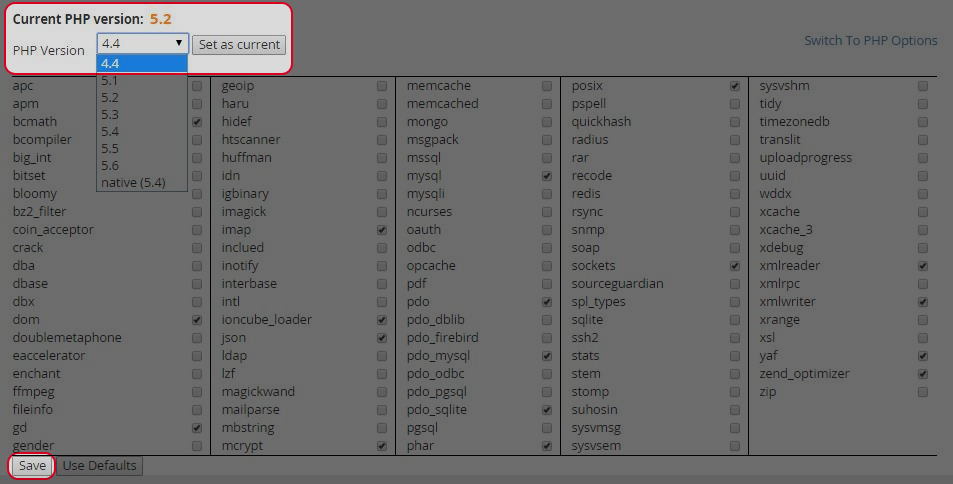
Choose the PHP Vision and click “Set as current”.
-
Click “Save”.
-
Find your answers with the search box
Can't find what you need? Create a support ticket
Login to cPanel.
Click “select PHP version” in Software Area.

Choose the PHP Vision and click “Set as current”.
Click “Save”.
