Change the primary language in cPanel
-
-
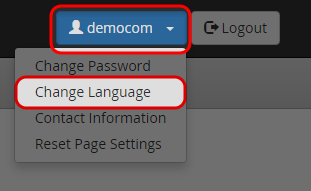
Click on “Change Language” icon under “{yourname}” menu.
-
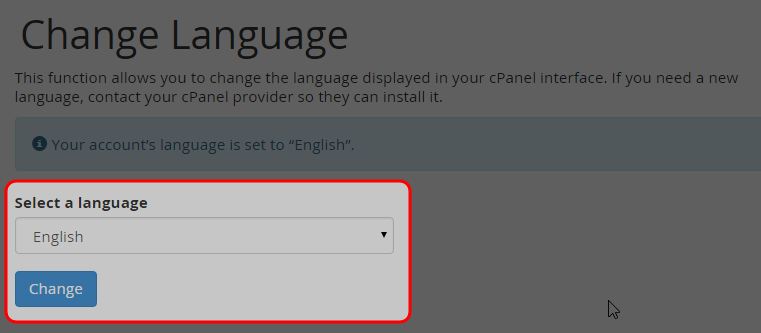
Select the desired language, then click “Change” button.
-
Find your answers with the search box
Can't find what you need? Create a support ticket
Click on “Change Language” icon under “{yourname}” menu.

Select the desired language, then click “Change” button.
