Setup email forwarding in cPanel to send a copy of all email from one address to another
-
-
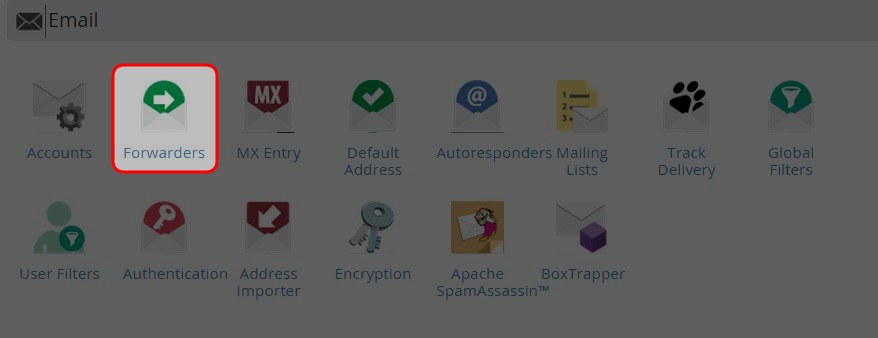
Click on “Forwarders” icon at Mail area.
-
Click on “Add Forwarder” button.

-
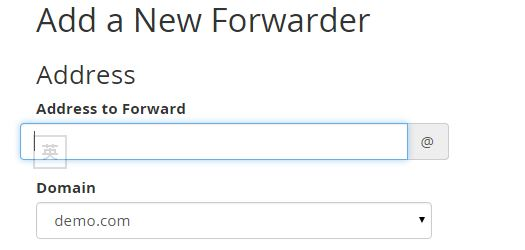
Enter the username of the email address to be forwarded.
-
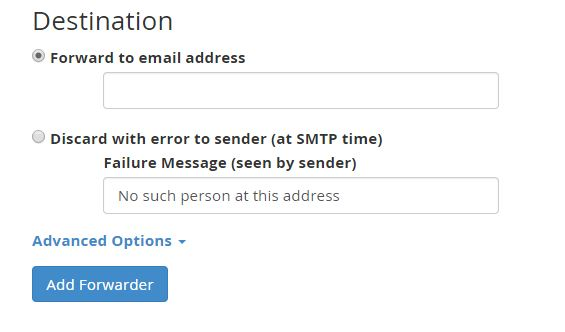
Enter the email address you would like the message forward to.
-
Click on “Add Forwarder”.
-
You could create additional forwarders, or delete the existing ones.

-


