Setup private nameservers at customer control panel
Private nameservers are your own DNS nameservers. If you have a dedicated server and domain with us, you can register your own nameservers such as ns1.yourdomainname.com and ns2.yourdomainname.com at our client area instead of the name of your web hosting company.
-
-
Login to Customer control panel.

-
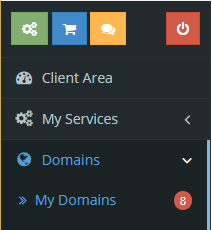
Click on “Domains” tab, and then click “My Domains”.
-
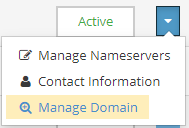
Click “Manage Domain”.
-
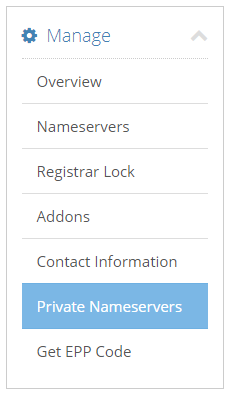
Click on “Private Nameservers”.
-
You need to obtain IP addresses to point your private nameservers to. You can check your server IP addresses in an email from our Technical Support team.
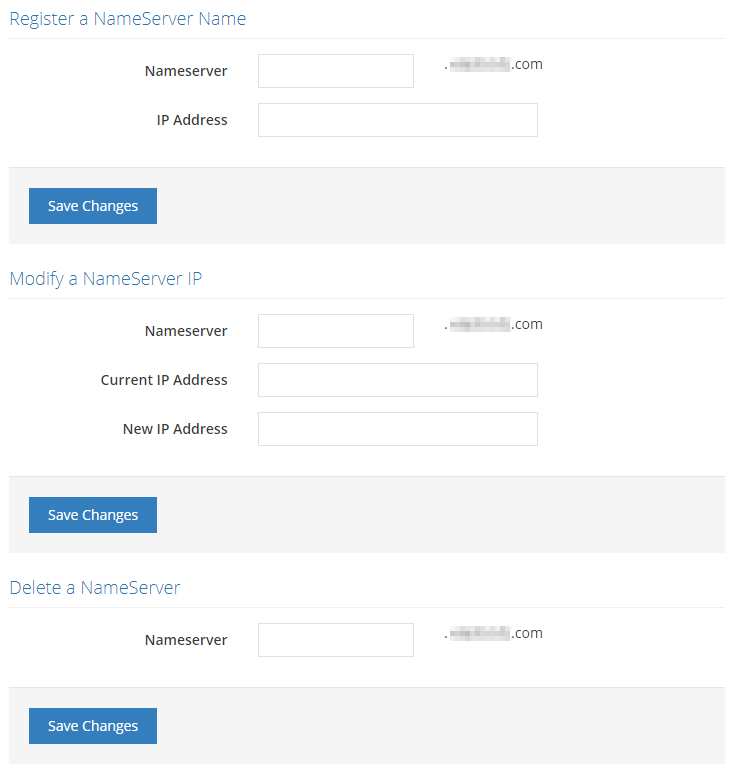
- Type the nameserver hostname you want to register, e.g. ns1 and ns2
- Enter the IP address you want to include to the host. Each IP address only can be assigned to one nameserver.
Allow 12-48 hours to pass for the nameservers to propagate worldwide and feel free to use your new private nameservers.
-


