Update your contact information in cPanel
-
-
Login to cPanel.
-
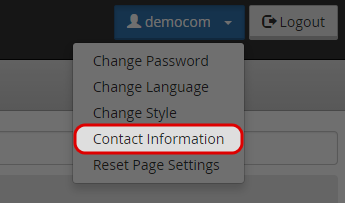
Select “Contact Information” icon under “{yourname}” menu.
-
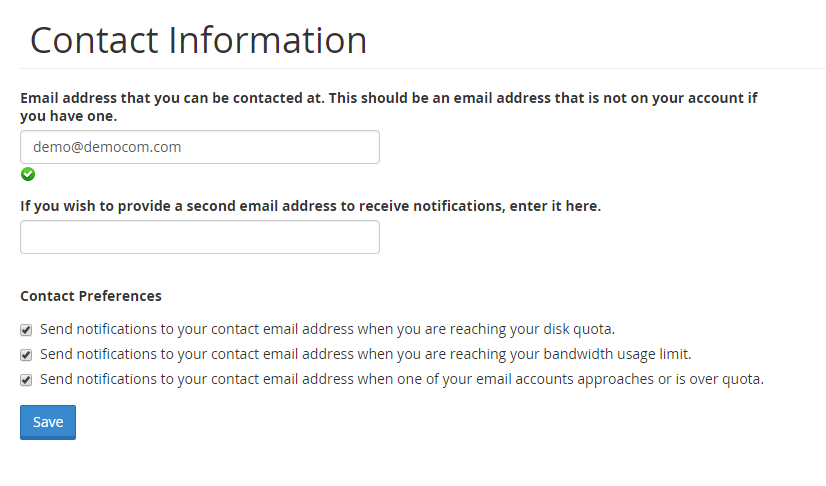
Enter a valid email address that you can be contacted with.
-
Enter the second email address (if you have one).
-
You could choose to be notified when you are reaching your disk quota, bandwidth usage limit, or email account quota.
-
Click “Save” to update your contact information.
-

